
Should I Include a Google Map on My Website?
Jump to a Section
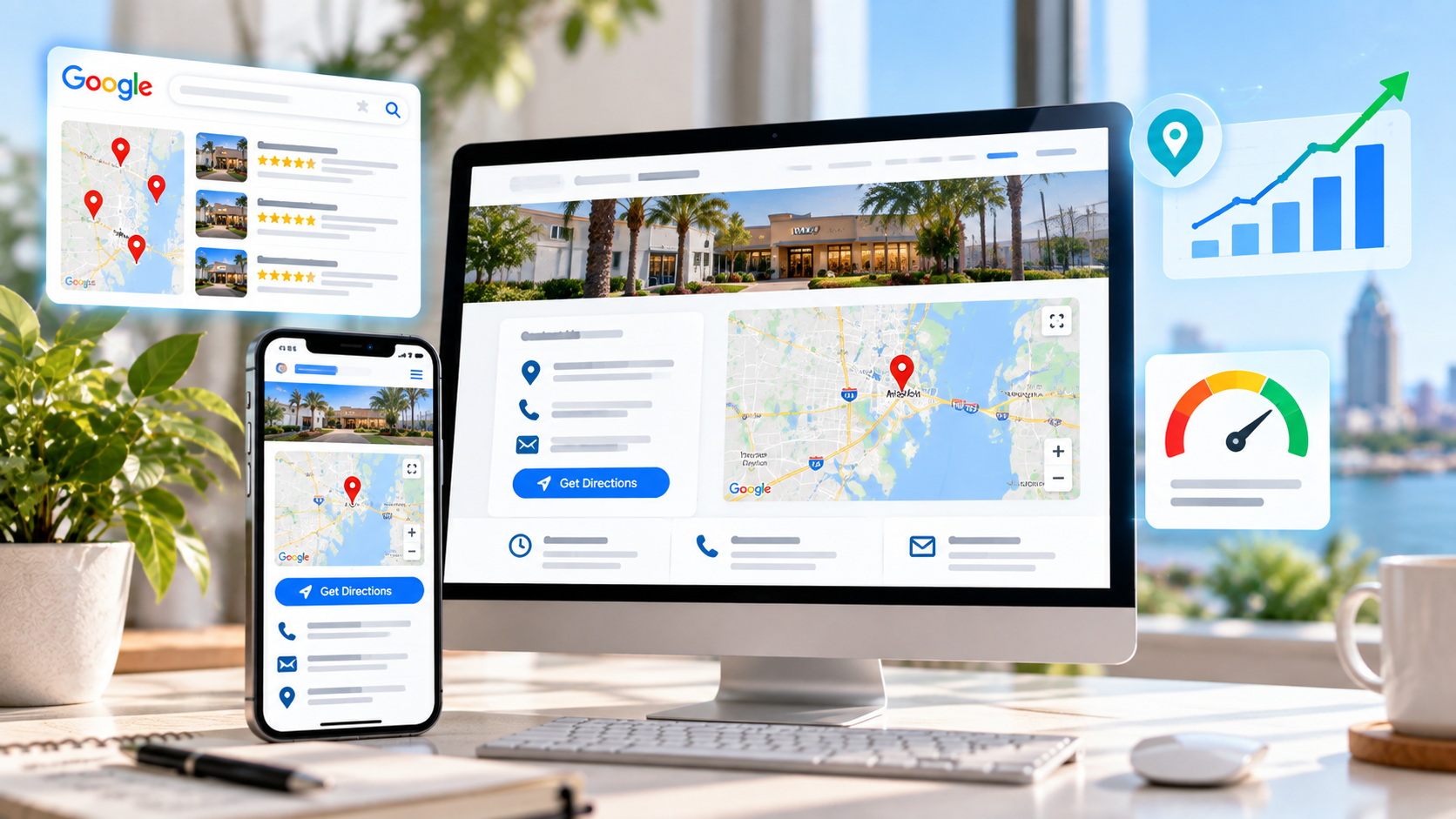
For a local business, an embedded Google Map can do more than simply give customers directions. When it is connected to the correct business, placed alongside consistent location information, and supported by a properly configured Google Business Profile and relevant website content, it can become one more piece of the geographic and entity context surrounding the business online.
That does not mean adding a Google Map to a page automatically moves a business into the Local Pack. Google does not publicly identify a map embed itself as a standalone local ranking factor.
But that does not mean the embed has no SEO value either.
In our experience working with local businesses, embedding the correct Google Map can be useful as part of a broader strategy designed to make it extremely clear which real-world business the website represents and which geographic market that business serves.
For most local businesses, we generally recommend it when the map accurately represents the business and fits naturally on the page. It helps customers understand where the business is located, provides convenient access to directions, and can reinforce the connection between the website, the business entity, the location, and the associated Google presence.
We would not call the map itself a magic ranking factor. We view it as one component of a larger local SEO consistency strategy.
How Does Google Maps Fit Into Local SEO?
Local SEO is about helping search engines understand three basic things:
- What your business does
- Where your business operates
- Why your business may be relevant to a local searcher
Google describes local ranking primarily in terms of relevance, distance, and prominence.
Relevance
How closely the business, its services, its website, and its Business Profile match what the searcher is looking for.
Distance
How the business location or service-area context relates to the location associated with the search.
Prominence
How established and well-known the business appears through reviews, links, citations, mentions, and other online signals.
A Google Map embed does not replace those signals. But when it displays the same business that appears in your Google Business Profile and aligns with the information throughout your website, it contributes to a more coherent local presence.
Google also states that information used in local listings can come from publicly available web content, including information found on a business's official website.
Local SEO works best when every major source tells the same story. Your website, Google Business Profile, map location, phone number, address or service area, services, reviews, citations, and local content should all consistently describe the same business.
How a Google Map Can Reinforce Business and Location Context
This is where we believe the practical local SEO value of an embedded map is often underestimated.
Search engines are constantly attempting to understand entities: businesses, people, organizations, places, products, and the relationships between them.
Your website is one source of information about your business.
Your Google Business Profile is another.
Your reviews, citations, backlinks, directory listings, social profiles, schema markup, and other public references add even more context.
When the website also embeds the Google Map associated with that same real-world business, the relationship becomes even more explicit from a practical standpoint.
Think of It as Reinforcement, Not a Shortcut
A map embed is not a substitute for accurate business information, strong local content, reviews, backlinks, or a properly optimized Google Business Profile.
Instead, it can reinforce the geographic and entity relationships already established elsewhere.
The Strongest Implementation Is Consistent
Ideally, a local business website should make the relationship obvious:
- The website identifies the business by the correct name.
- The correct phone number appears clearly.
- The correct physical location or service area is described.
- The website URL is associated with the Google Business Profile.
- The embedded map represents the correct business or location.
- LocalBusiness schema is accurate where appropriate.
- Location and service-area content matches how the business operates.
None of those items should be viewed in isolation.
Together, however, they create a much clearer digital identity.
Our practical view: if Google is trying to understand which business a website represents and where that business operates, providing more accurate and consistent location context is generally preferable to providing less.
Is Embedding a Google Map a Direct Ranking Factor?
Google does not publicly list “having an embedded Google Map” as a standalone local ranking factor.
That distinction is important because SEO claims should be precise.
We would not tell a business:
“Add this map and Google will rank you higher.”
There is simply no basis for making that guarantee.
What we would say is:
“Make it as easy as possible for Google and customers to understand exactly which business this website belongs to, where that business is located or operates, and how the website relates to the business's Google presence.”
In that context, embedding the correct map is a logical part of the strategy.
Avoid Overselling the Map
If a business has poor reviews, weak service pages, inconsistent information, almost no backlinks, an incomplete Business Profile, and thin local content, embedding a map is not going to fix the broader problem.
The map works best as one reinforcing element within an already coherent local SEO foundation.
↑ Back to TopBenefits of Adding a Google Map to a Local Business Website
1. It Connects the Website to a Real-World Location
For storefronts, offices, restaurants, salons, professional firms, and other physical businesses, the map makes the geographic relationship immediately clear.
2. It Reinforces the Business Entity
When the map represents the same business listed in Google Business Profile and the same business described throughout the website, it adds another layer of consistency to the entity's online footprint.
3. It Helps Customers Get Directions
Customers can move from the website directly into Google Maps without manually copying and searching an address.
4. It Creates Geographic Context
A map allows visitors to immediately understand where the business sits relative to neighborhoods, roads, landmarks, and surrounding communities.
5. It Can Improve Location-Page Usability
A Contact or Location page should make visiting the business easy. A map, address, hours, directions, parking information, phone number, and clear calls to action can work together to accomplish that.
6. It Supports Mobile Visitors
Local searches frequently occur on mobile devices. A visitor can quickly open directions and navigate to the location without additional steps.
SEO Value and Customer Value Can Overlap
One of the best characteristics of a map embed is that the same element can make the page more useful for customers while also strengthening the consistency of the business's geographic presentation online.
Can a Google Map Help Reinforce a Service Area?
This requires an important distinction.
For a service-area business, the official service area displayed through Google is configured in the business's Google Business Profile.
The map embedded on your website does not replace that setting or independently tell Google:
“This business serves everything within 50 miles of this pin.”
However, the website can provide additional geographic context around the service area.
That may include:
- Clearly naming the cities and communities served
- Creating useful location pages where appropriate
- Describing service-area boundaries naturally
- Using accurate LocalBusiness schema
- Maintaining consistent business identity information
- Embedding the correct Google Maps business/location reference
- Linking relevant service and location pages together
In our experience, that combination can help make the geographic focus of the website much clearer.
The Business Profile defines the service area. The website reinforces the geographic story. A map can be one part of that reinforcement, but it should work alongside clear service-area content rather than replace it.
What About a Business That Hides Its Address?
Some service-area businesses operate from a location where customers do not visit, such as a plumber, cleaner, landscaper, roofer, or mobile service company.
Google allows those businesses to hide their address and list a service area instead.
In those cases, you should not publish a private residential address on the website simply because you want to embed a map.
The implementation should respect how the business actually operates.
↑ Back to TopWhere Should You Put the Google Map?
Placement should follow user intent.
Contact Page
The Contact page is usually one of the most natural places because visitors are already looking for location information, phone numbers, directions, hours, or other contact details.
Location Page
For businesses with one or more physical locations, a dedicated location page can pair the map with unique location information, services, photos, hours, and directions.
What About the Footer?
A map can be placed in the footer, but that does not mean every website needs to load an interactive Google Map on every page.
A footer containing the business name, location information, phone number, and a link to the Contact page may be enough.
If performance is a concern, a full interactive map may be better kept on the Contact or Location page.
↑ Back to TopBest Practices for Using Google Maps on Your Website
Embed the Correct Business
If possible, use the map associated with the actual business rather than simply centering a generic map on the street address.
Keep Business Information Consistent
The business name, location information, phone number, website URL, and Google Business Profile should consistently refer to the same entity.
Add Useful Location Content
Do not make the map do all the work. Include readable information about where the business is located or which areas it serves.
Use Appropriate Schema
Accurate LocalBusiness or relevant structured data can provide additional machine-readable information about the business.
Make the Map Responsive
The embed should work properly on phones, tablets, and desktops without overflowing the layout.
Consider Lazy Loading
If the map appears farther down the page, lazy loading can reduce unnecessary work during the initial page load.
Keep the Google Business Profile Current
The map embed is secondary to the Business Profile itself. Make sure the profile's address, service area, phone number, website, hours, categories, and services remain accurate.
What If My Business Has Multiple Locations?
Multiple-location businesses can benefit even more from clearly pairing each location with the correct website content.
Instead of one generic page attempting to represent every location, each legitimate office or storefront can often benefit from its own page.
Each page can include:
- The location's correct business name
- Street address
- Local phone number where appropriate
- Business hours
- Photos of that location
- Services offered there
- Local content
- Directions or parking information
- The Google Map associated with that location
This makes it much easier for customers—and potentially search systems—to understand the relationship between each location and the broader business.
↑ Back to TopA Google Map Works Best as Part of a Broader Local SEO Strategy
The most important point is not whether the map has some secret ranking weight.
The important point is that your entire online presence should clearly describe the same business.
Google Business Profile
Keep your profile complete and accurate, including categories, website, phone number, address or service area, services, hours, and other relevant information.
Reviews
Reviews contribute heavily to customer trust and are part of the broader prominence picture in local search.
Local Website Content
Your service pages and location content should clearly explain what the business does and where it operates.
Backlinks and Citations
Local organizations, directories, industry resources, news coverage, partnerships, and other credible references can strengthen the business's broader online presence.
Structured Data
Accurate schema can help search systems interpret business information more consistently.
Internal Linking
Service pages, location pages, blog articles, and relevant resources should connect logically so users and search engines can understand how the website is organized.
The Map Fits Into the Same Consistency Strategy
We do not view an embedded map as a replacement for these signals. We view it as another way to reinforce the business and geographic context already being established across the website and Google's local ecosystem.
For a broader view of the entire process, learn more about Top Fin Marketing's Search Engine Optimization services .
Semrush also provides a broader guide to SEO best practices covering content, technical SEO, links, and other search factors.
Local SEO is largely an exercise in clarity and consistency. Make it easy for Google and customers to understand who you are, what you do, where you operate, and how all of your online properties relate to the same real-world business.
Frequently Asked Questions
Does embedding a Google Map help local SEO?
Google does not publicly identify a map embed as a standalone local ranking factor. However, we consider a correctly matched map a useful component of a broader local SEO strategy because it can reinforce the relationship between the website, the business entity, the location, and the associated Google presence.
Will adding a Google Map automatically improve rankings?
No. A map should not be treated as a guaranteed ranking boost. Rankings depend on a much broader combination of relevance, distance, prominence, content, reviews, links, competition, Business Profile information, and other factors.
Can a map help Google understand which business owns the website?
The map should be viewed as one supporting element rather than proof by itself. When the same business name, website, location, Google Business Profile, contact information, schema, and map all align, the overall business identity becomes much clearer.
Can an embedded map define my service area?
No. A service-area business should configure its official service areas through Google Business Profile. The website can then reinforce that geographic focus through accurate service-area content, location pages, internal links, and other supporting information.
Where should the Google Map appear?
The Contact page or a dedicated Location page is usually the most logical place because users visiting those pages are already looking for geographic or contact information.
Should I embed the business listing or just the address?
When practical, we prefer connecting the website to the correct business presence rather than using a generic map location with no obvious relationship to the actual business entity.
Should a service-area business embed a Google Map?
It depends on how the business operates. If customers do not visit a physical location, the site should not expose a private address just to display a map. The service-area content and Business Profile should accurately reflect the real business model.
Does a map replace location pages?
No. A map gives geographic context, while a strong location page can explain services, local relevance, hours, directions, contact information, photos, and other information specific to that location.
Can Google Maps slow down a website?
Interactive maps load additional third-party resources. Thoughtful placement and lazy loading can help limit the performance impact, especially when the map appears farther down the page.
What matters more than the map itself?
Accurate Business Profile information, relevant website content, reviews, backlinks, citations, technical SEO, local service and location pages, consistent business information, and overall prominence are all more important than relying on the map embed by itself.
Final Thoughts: A Map Is Not Magic, but It Can Reinforce Local Relevance
So, should you include a Google Map on your website?
In many cases, yes.
We do not recommend maps because we believe an iframe contains some secret ranking power.
We recommend them because local SEO depends heavily on creating a clear, consistent digital picture of the business.
When the Google Map, Business Profile, website, business name, address or service-area information, phone number, location content, schema, and other local signals consistently represent the same real-world business, the overall relationship becomes easier to understand.
Google itself uses information from official business websites as one of the sources from which it builds local business information.
That does not prove that an embedded map directly raises rankings. But it does support the broader strategy of providing Google with accurate, consistent, geographically relevant information wherever practical.
And at the same time, the map provides something even more concrete: it helps actual customers understand where you are and how to reach you.
Want Stronger Visibility in Google Search and Maps?
Top Fin Marketing approaches local SEO as a complete system. We evaluate your website, Google Business Profile, service areas, location pages, reviews, backlinks, citations, technical SEO, structured data, internal linking, and competitive landscape to make the relationship between your business and the markets you serve as clear as possible.
Learn more about our Search Engine Optimization services or contact us to discuss your local search strategy.
Contact Top Fin Marketing