
How to Rank in Google’s Local Map Pack: The Complete Breakdown
Jump to a Section
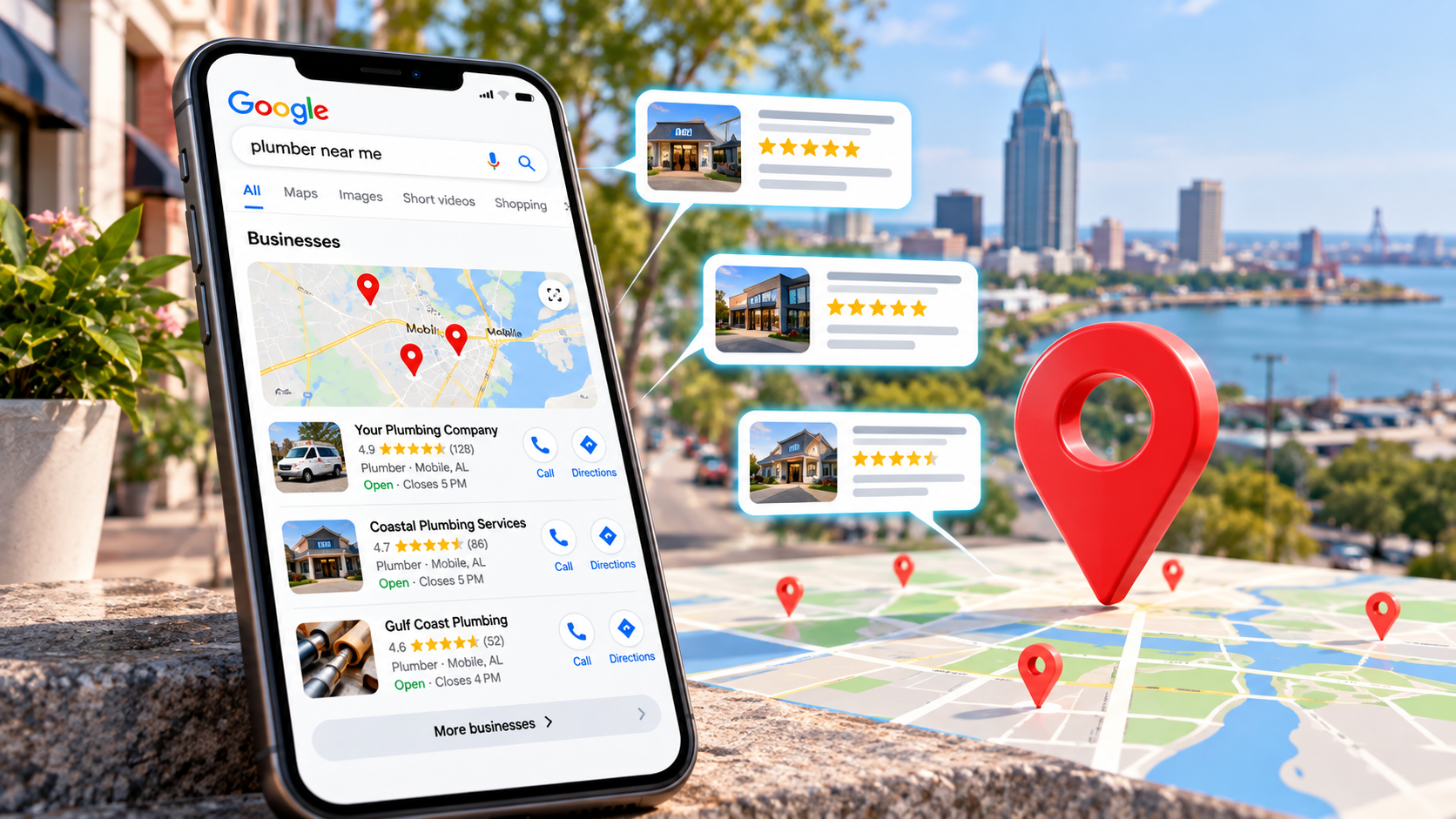
Search for a local service such as “plumber near me,” “roofing company Mobile AL,” or “best nail salon near me,” and Google will often display a group of local businesses alongside a map. This prominent section is commonly known as the Google Local Map Pack.
For businesses that depend on customers within a defined geographic market, appearing prominently in local results can be enormously valuable. Searchers can see reviews, hours, directions, phone numbers, photos, and other business information before they ever reach a traditional organic website result.
But there is no single setting that puts a business into the Map Pack. Local visibility comes from a combination of factors surrounding the business, its Google Business Profile, its website, its reputation, and its geographic relationship to the searcher.
Google says local results are mainly based on relevance, distance, and prominence. Businesses should therefore focus on accurately describing what they do, maintaining a complete Google Business Profile, choosing the correct categories, earning legitimate customer reviews, building a strong local website and backlink profile, keeping business information accurate across the web, and clearly demonstrating the geographic markets they serve.
There is no legitimate way to pay Google for a better organic local ranking, and no single optimization guarantees a position in the three-business Map Pack.
Google's Three Core Local Ranking Factors
Google publicly describes three primary concepts behind local ranking: relevance, distance, and prominence.
Relevance
How closely your Business Profile and broader business information match what the searcher is looking for.
Distance
How far the business is from the location associated with the person performing the search.
Prominence
How established and well-known the business appears through reviews, links, web references, reputation, and other information.
This framework is useful because nearly every local SEO tactic fits somewhere inside those three concepts.
Categories and services help establish relevance. Your physical location affects distance. Reviews, links, citations, local recognition, and broader authority can contribute to prominence.
Local SEO is not one ranking factor. It is the process of making the business as relevant, geographically clear, trustworthy, established, and useful as possible for the searches that matter.
1. Build a Complete and Accurate Google Business Profile
Your Google Business Profile is one of the central assets in local SEO. It is the listing Google uses to display information such as your business name, category, address or service area, phone number, website, hours, photographs, reviews, services, and other business details.
Google specifically recommends keeping Business Profile information complete and accurate because that information helps Google understand what the business does, where it operates, and when customers can visit or contact it.
Choose the Correct Primary Category
Categories are especially important.
Google states that the categories you choose affect local ranking. Your primary category should therefore describe the core business as specifically and accurately as possible.
If the business is primarily a roofing contractor, for example, Roofing Contractor is generally more descriptive than a broad category such as General Contractor when roofing is the actual core business.
Use Additional Categories Carefully
Secondary categories can describe legitimate additional aspects of the business, but they should not simply be added because you want to rank for more searches.
Complete the Profile
Depending on the business type, pay attention to:
- Business name
- Primary category
- Additional legitimate categories
- Physical address or service area
- Phone number
- Website URL
- Business hours
- Services
- Products where applicable
- Business attributes
- Photos and videos
- Business description
Do Not Stuff Keywords Into the Business Name
Your Business Profile should represent the real-world business name. Adding city names, services, or other keywords to the listing solely to manipulate rankings can create policy problems when those words are not part of the legitimate business name.
2. Build a Strong, Legitimate Customer Review Profile
Reviews have become one of the most important components of local search marketing because they influence both visibility and customer decisions.
Google specifically states that more reviews and positive ratings can help a business's local ranking.
That does not mean the business with the largest review count automatically wins every search. Distance, relevance, competition, categories, prominence, and other factors still matter.
But ignoring reviews places a local business at a substantial disadvantage.
Ask Real Customers for Reviews
Build a consistent process for asking legitimate customers to share their experience after the service or transaction.
Make Reviewing Easy
Use a direct review link in follow-up messages, emails, receipts, or other appropriate customer communications.
Respond to Reviews
Professional responses demonstrate that the business pays attention to customer feedback and can make the review profile more useful to future customers.
Avoid Fake or Manipulated Reviews
Reviews should reflect genuine customer experiences. Do not purchase fake reviews or attempt to manufacture a reputation that does not exist.
Want a Deeper Look at Reviews and SEO?
We break this topic down further in Do Online Reviews Impact Google Rankings? The Importance of Online Reviews in SEO .
3. Understand Proximity and Service-Area Limitations
Proximity is one of the hardest parts of local SEO because you cannot simply optimize your way around geography.
Google considers how far the business is from the searcher or from the location Google associates with the search.
That means two people searching the exact same phrase from opposite sides of a city can receive different local results.
Service Areas Do Not Eliminate Distance
Service-area businesses should accurately define the communities they serve in Google Business Profile, but selecting a city as a service area does not guarantee that the business will rank throughout that entire city.
Do Not Create Fake Offices
If you have one legitimate location, do not create additional Business Profiles using virtual offices, P.O. boxes, borrowed addresses, or other locations that do not meet Google's eligibility requirements simply to rank in neighboring cities.
Use the Website to Reinforce Geography
While the Business Profile defines the official business location or service areas, your website can provide additional geographic context through:
- Location pages
- Service-area pages
- Local project examples
- Customer stories
- Local photographs
- City-specific service information
- Internal linking
- Accurate structured data
You cannot remove proximity from local SEO. The goal is to make sure Google accurately understands where your legitimate business operates and which geographic searches are relevant to it.
4. Make the Website Support the Google Business Profile
Your Google Business Profile does not exist in isolation.
Google says local listing information can be compiled from several sources, including publicly available content crawled from a business's official website.
That makes your website an important source of context about:
- Who the business is
- What services it provides
- Where it operates
- How customers contact it
- Which topics the business has expertise in
Build Strong Service Pages
If an HVAC company wants visibility for AC repair, furnace repair, ductwork, and heat-pump installation, those services should be clearly represented on the website.
Build Useful Location Content
If you legitimately serve several major geographic markets, dedicated location pages can provide useful information specific to those areas.
Avoid creating dozens of nearly identical city pages where only the city name changes. Those pages add little value and can resemble doorway-style content when they exist primarily to capture local keywords.
Use Geographic Language Naturally
Mention cities, neighborhoods, counties, and service areas where they genuinely help describe the business. Do not force the same city name into every heading and paragraph.
Use Structured Data Where Appropriate
Accurate LocalBusiness or other relevant schema can provide machine-readable information about the business, but structured data should reflect what is actually represented on the page.
Consider Embedding the Correct Google Map
We do not consider a Google Maps embed a magic standalone ranking factor. But when the map represents the correct business and is combined with consistent business information, Google Business Profile data, location content, and structured data, we believe it can be a useful reinforcing element within a broader local SEO strategy.
We explain that position in more detail in Should I Include a Google Map on My Website? .
Publish Useful Informational Content
Educational blog content can expand the topics for which your website is relevant and give customers useful information before they are ready to hire you.
For more on that strategy, see How Informative Blog Articles Help Rank Your Website .
↑ Back to Top5. Keep Business Information Accurate Across the Web
Citations are online references to your business, frequently found on directories, chambers of commerce, trade organizations, social networks, data providers, and other websites.
Historically, local SEO discussions often turned citation consistency into an obsession over tiny formatting differences such as “Street” versus “St.”
The bigger issue is factual accuracy.
You do not want significant inconsistencies such as:
- Old addresses
- Incorrect phone numbers
- Duplicate business profiles
- Old business names
- Incorrect websites
- Wrong business categories
- Locations that no longer exist
Clean up incorrect or outdated listings and focus on directories that actually make sense for your business, industry, and geographic market.
Quality Matters More Than Directory Volume
Being accurately listed with legitimate industry organizations, local chambers, respected directories, and major platforms is more useful than creating hundreds of low-value directory listings simply because an SEO checklist told you to.
6. Earn Backlinks and Local Authority
Prominence is partly about how established a business appears online. Backlinks and web references can contribute to that broader authority.
For local businesses, some of the most useful links can come from organizations connected to the real market where the business operates.
Examples can include:
- Local chambers of commerce
- Industry associations
- Local newspapers and television websites
- Community organizations
- Event websites
- Nonprofit sponsorships
- Local business partnerships
- Manufacturers and suppliers
- Professional directories
- Useful editorial mentions
Relevant Local Authority
A genuine link from a respected local organization, industry association, news outlet, supplier, or community resource has real contextual relevance.
Mass-Produced Links
Hundreds of unrelated, low-quality links created solely to manipulate rankings can provide little legitimate value and may create SEO risk.
Link building should therefore be tied to real authority and real relationships rather than simply chasing the largest possible backlink count.
↑ Back to Top7. Create Content That Demonstrates Local Relevance
Local content should do more than repeat: “We serve Mobile, Alabama.”
The strongest local content usually reflects actual experience within the market.
Highlight Local Projects
Contractors and service companies can publish project examples explaining the problem, solution, service, and general area where the work occurred.
Answer Locally Relevant Questions
Weather, building materials, regulations, soil conditions, storm damage, insurance issues, regional architecture, and other topics can vary by market.
Discuss Legitimate Community Involvement
Sponsorships, events, partnerships, volunteer efforts, and community activities can create useful local content when they genuinely involve the business.
Use Real Photos
Original photographs of employees, projects, offices, equipment, neighborhoods, events, and completed work can communicate much more local authenticity than generic stock images.
Local content should demonstrate local relevance, not merely claim it. Show customers—and search systems—that the business genuinely operates within and understands the market it serves.
8. Keep the Website Technically Healthy
A local SEO strategy still depends on the fundamentals of technical SEO.
Search engines need to be able to crawl and understand the website, and potential customers need to be able to use it.
Mobile Usability
Local customers frequently search while using their phones. Make phone numbers, forms, navigation, directions, and calls to action easy to use on smaller screens.
Page Performance
Slow websites create unnecessary friction. Optimize large images, excessive scripts, third-party embeds, fonts, and other elements that can delay page loading.
You can test individual pages using Google PageSpeed Insights .
Crawlability and Indexation
Make sure important service and location pages are accessible to search engines and have not been accidentally blocked, redirected, or noindexed.
HTTPS and Website Security
Use a secure HTTPS connection and maintain the website so that customers can interact with it confidently.
Logical Site Structure
Organize services, locations, articles, and other content so that both visitors and search engines can understand how the pieces relate to one another.
↑ Back to Top9. Make Your Business Profile Useful Enough to Earn Customer Actions
Google Business Profile provides performance data showing how customers discover and interact with a business through Search and Maps.
That can include actions such as website clicks, calls, and other interactions.
This data is useful, but businesses should be careful not to oversimplify it into a claim such as:
“More clicks automatically make your profile rank higher.”
That is not how Google publicly describes local ranking.
Instead, use performance data to understand whether the listing is compelling and useful to real customers.
Improve:
- Photos
- Business information
- Hours
- Services
- Review responses
- Website landing experience
- Calls to action
Optimize for the Customer, Not an Imaginary Click Score
Your Business Profile should make it easy for someone to understand the business and take the next step. Better customer response is valuable whether or not any individual interaction is a direct ranking signal.
10. Watch for Local Competitor Spam Without Building Your Strategy Around It
Local search can sometimes contain questionable or ineligible listings. Examples can include:
- Fake locations
- Businesses using addresses where they do not legitimately operate
- Keyword-stuffed business names
- Duplicate listings
- Businesses that appear to be closed
- Other inaccurate profile information
These listings can occupy local-result positions that legitimate businesses are competing for.
When you encounter clearly inaccurate information, Google's Suggest an Edit tools can be used to propose corrections.
Do Not Turn Competitor Reporting Into Your Entire Local SEO Strategy
Cleaning up obvious spam can help create a more accurate local search environment, but your long-term strategy still needs to strengthen your own business: better reviews, stronger content, better authority, accurate profile information, quality backlinks, and a better customer experience.
11. Measure Local SEO the Right Way
One of the most misleading ways to measure local SEO is to stand inside your own office, search your favorite keyword, and assume that everyone in the city sees exactly the same results.
They do not.
Distance means local rankings can vary substantially from one neighborhood to another.
Track Multiple Search Locations
A local rank-grid tool can help visualize how visibility changes across a city or service area instead of reducing the entire market to one ranking position.
Track More Than Rankings
Useful local SEO measurements can include:
- Map visibility across the service area
- Business Profile views
- Website clicks
- Calls
- Direction requests where relevant
- Review volume and rating trends
- Organic website traffic
- Local landing-page performance
- Form submissions
- Qualified leads
- Revenue generated from local search
The objective is not to rank #1 on one computer. The objective is to build useful visibility across the geographic market where your real customers search and turn that visibility into business.
Frequently Asked Questions
What is the Google Local Map Pack?
The Local Map Pack is the prominent group of local business results Google often displays with a map for searches that have local intent. These results can include reviews, hours, directions, phone information, photos, and other Business Profile information.
What determines Google Maps rankings?
Google says local results are mainly based on relevance, distance, and prominence. Business Profile information, categories, reviews, links, website information, geographic location, and broader reputation can all contribute within that framework.
Are Google reviews important for Map Pack rankings?
Yes. Google specifically states that more reviews and positive ratings can help local ranking. Reviews also significantly influence customer trust and whether someone chooses one business over another.
Do I need hundreds of reviews to rank?
No fixed review count guarantees a Map Pack position. The competitive environment matters. Review quantity and ratings are important, but they operate alongside distance, relevance, categories, prominence, links, website quality, and other local factors.
Can I rank in a city where I do not have an office?
Service-area businesses can appear outside their immediate location, but distance remains part of Google's local ranking system. Accurately configure service areas and build useful geographic content without creating fake locations or pretending to maintain offices that do not exist.
Does adding cities to my Google Business Profile make me rank there?
Not automatically. Service areas describe where the business operates but do not eliminate proximity or guarantee visibility throughout each selected market.
Does embedding a Google Map help?
Google does not publicly identify a map embed as a standalone ranking factor. However, when the correct map is paired with consistent business information, location content, structured data, and the matching Google Business Profile, we consider it a useful reinforcing element within the broader local SEO strategy.
Do local backlinks matter?
They can. Google says prominence is influenced in part by information such as how many websites link to a business. Relevant links from legitimate local and industry sources can also strengthen broader authority and referral visibility.
How long does local SEO take?
There is no universal timeline. Category competition, location, proximity, website authority, review profile, existing citations, backlinks, and the condition of the Business Profile can all affect how quickly meaningful improvements appear.
Can I lose my Map Pack ranking?
Yes. Local rankings are dynamic. Competitors can improve, reviews can change, business information can become inaccurate, website authority can shift, search behavior can change, and Google's systems can reassess local results. A ranking loss by itself does not necessarily mean the profile has been penalized.
Should I create a Google Business Profile for every city I serve?
No. Create profiles only for legitimate locations that qualify under Google's Business Profile rules. A service-area business with one real location should not create fake listings simply to target neighboring cities.
Is website SEO still important if I already have a Google Business Profile?
Yes. Google can use information from the official business website as part of its local information ecosystem. A strong website also provides service detail, geographic context, content, backlinks, authority, and conversion opportunities that a Business Profile alone cannot provide.
Final Thoughts: Local Map Pack Rankings Come From the Whole Picture
Ranking in Google's Local Map Pack is not about finding one secret setting.
It is about making the entire business easier for Google and customers to understand.
Your Google Business Profile should clearly describe what you do.
Your categories should accurately represent the business.
Your reviews should reflect real customer experiences.
Your website should explain your services and geographic markets.
Your citations and business information should be accurate.
Your backlink profile should demonstrate genuine authority.
Your technical SEO should make the site accessible and useful.
And all of those pieces should consistently point back to the same real-world business.
When that foundation is strong, you are giving Google significantly more information with which to understand your relevance and prominence within the local market.
Distance will always create geographic limitations. Competition will always matter. No legitimate SEO company can guarantee a specific Map Pack position.
But you can control how clearly, accurately, and authoritatively your business presents itself across Google's local ecosystem.
Want Better Visibility in Google Search and Maps?
Top Fin Marketing evaluates local SEO as a complete system. We look at your Google Business Profile, categories, reviews, website, service areas, location pages, content, backlinks, citations, technical SEO, competitors, and local rank visibility to identify where the strongest opportunities actually exist.
Learn more about our Search Engine Optimization services or contact us to discuss your local search strategy.
Contact Top Fin Marketing